
You're tracking multiple races. You don't have time to download every Form 460 or refresh the Secretary of State's website every morning. But you also can't afford to be surprised by a well-funded challenger or miss when outside money enters your race.
The Activity Feed and Committee Profiles make this manageable. Here's what a sustainable monitoring rhythm looks like.
How this analysis is done
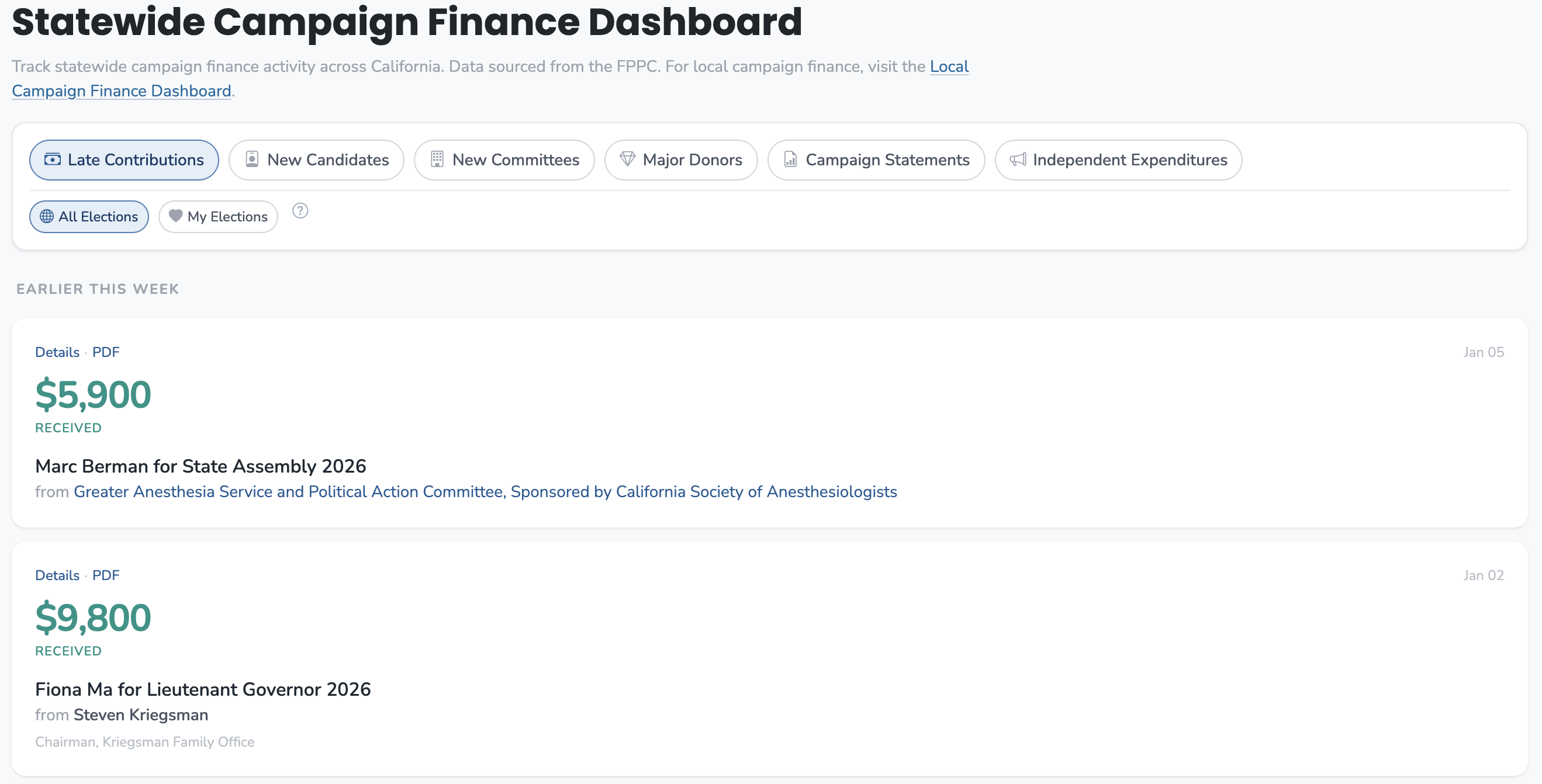
Use the statewide Activity Feed in The Ballot Book to scan for late contributions, new committees, and independent expenditures, filtering by the activity types that matter for your races. For deeper context, open individual committee profiles to see cash on hand, donor breakdowns, and spending patterns. These tools cover any California race where electronic filings exist.
The Situation
You're advising on three Assembly races, two city council campaigns, and a school bond measure. Filing deadlines come every few months, and late contributions trickle in constantly during election season. Your principal expects you to know what's happening before it becomes news.
Reading every filing isn't realistic. You need to know what to check, when to check it, and which signals actually matter.
The Shortcut That Falls Short
The default approach is to check filings reactively—when someone asks a question, or when you hear about a big contribution from another source. This works until it doesn't. You end up blindsided by an IE campaign, or you realize your candidate is being outraised after it's too late to course-correct.
The other mistake is trying to track everything. Every Form 497. Every committee update. This produces information overload without insight.
What Actually Works
Establish a Rhythm
After filing deadlines (semi-annual, pre-election, quarterly): This is when Form 460s hit. Campaign statements show the complete picture—raised, spent, cash on hand. Filter the Activity Feed to "Campaign Statements" and scan your races. The numbers that matter:
- Cash on hand: This is what a campaign can actually spend. A candidate who raised $500K but has $50K cash is in a different position than one who raised $300K and has $200K.
- Burn rate: Compare expenditures to receipts. A campaign spending faster than it's raising is either confident or in trouble.
- Trajectory: Compare to the previous period. Is cash growing or shrinking?
Weekly during election season: Check "Late Contributions" on the Activity Feed. Form 497s are filed within 24 hours for $1,000+ contributions during the 90 days before an election (or within 10 days for $5,000+ at other times). This is where you see momentum in real time—who's getting late money and from whom.
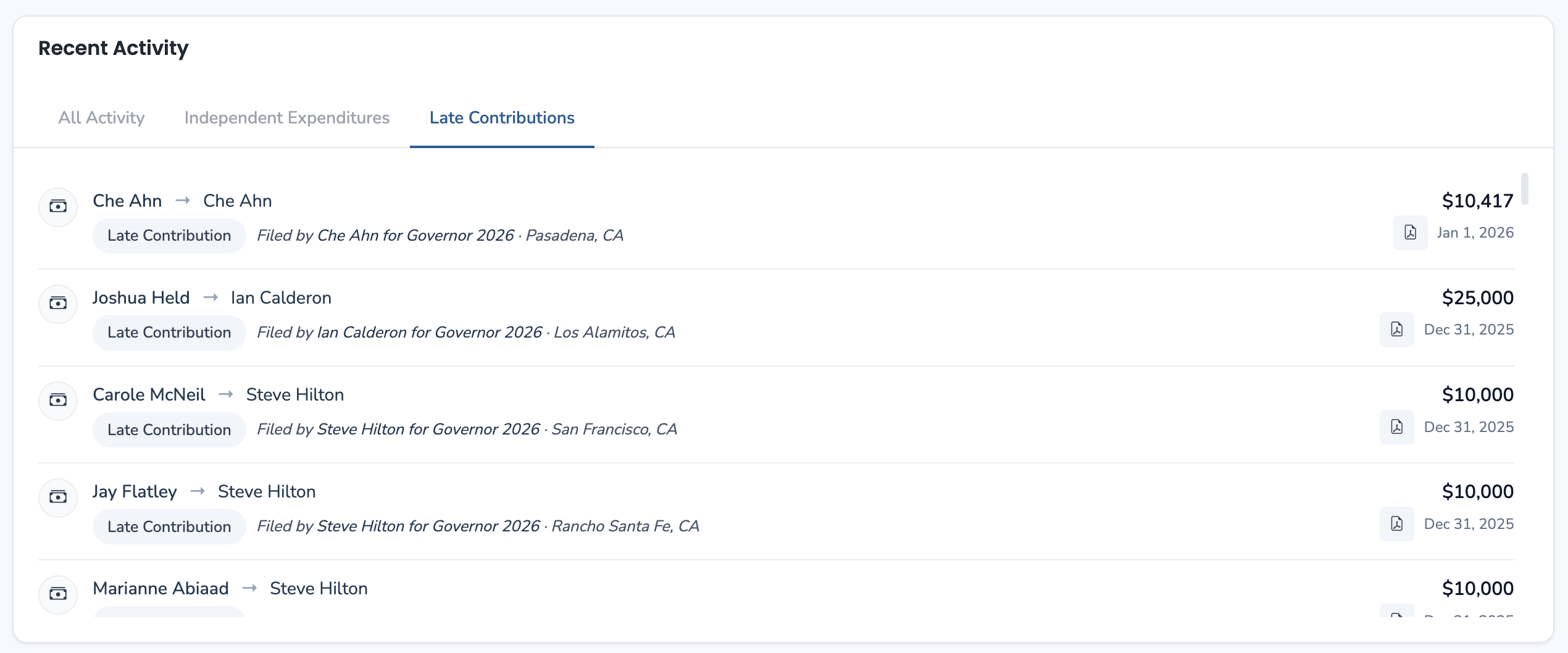
When something feels off: If a race suddenly gets competitive or an unknown candidate starts advertising, check their committee profile. The Receipts tab shows who's funding them. The Contributions Made tab shows if they're getting party or PAC support.
Seeing Momentum Between Filings
Form 460s are snapshots—they tell you where things stood at the end of the filing period. But campaigns don't pause between deadlines. The question is always: what's happened since?
On committee profile pages and on the election page for a race, late contributions (Form 497s) that have come in since the last Form 460 are shown separately. This lets you see who's picking up momentum in real time, without waiting for the next filing deadline.
A candidate with modest Form 460 numbers but $150K in recent 497s is in a different position than their cash-on-hand would suggest. Conversely, a frontrunner whose 497 activity has gone quiet may be losing donor confidence.
This is where you catch shifts before they show up in the next campaign statement.
What the Numbers Tell You
Cash on Hand Is the Number That Matters
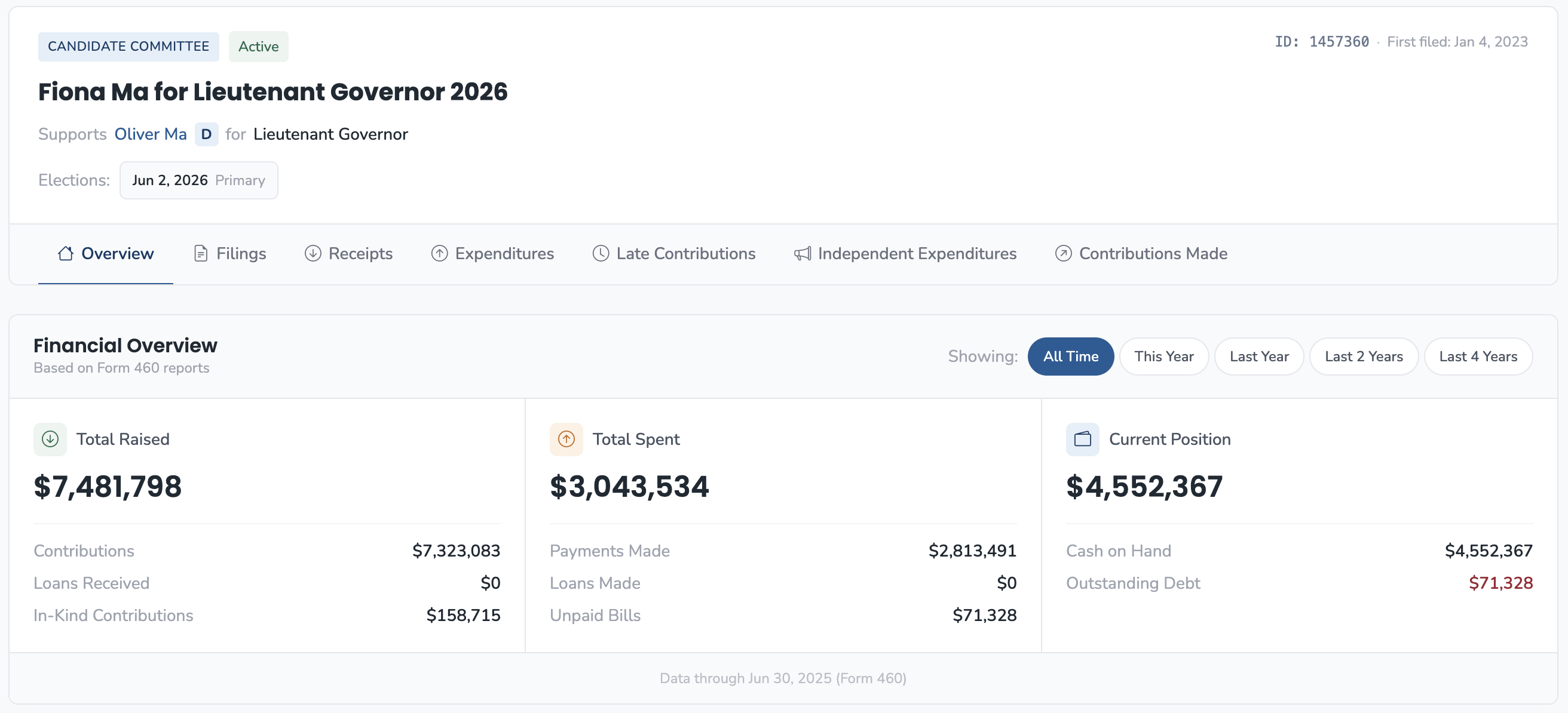
Total raised gets the headlines, but cash on hand determines what a campaign can actually do. Two campaigns that have both raised $1 million are not equivalent if one has $800K in the bank and the other has $150K.
On committee profiles, the Financial Overview shows all three numbers. When comparing candidates, cash on hand at the same point in the cycle is the comparison that matters.
Late Contributions Signal Where the Action Is
Form 497s are required within 24 hours of receiving $1,000+ in the 90-day pre-election window. They're the closest thing to real-time data in campaign finance. When you see a cluster of late contributions to one candidate:
- It could mean momentum—donors see a path to victory
- It could mean desperation—the campaign is making urgent asks
- It could mean outside interest—check if the donors are local or from industry groups
The context matters. $50K in late contributions to a frontrunner is different than $50K to a candidate polling fourth.
Independent Expenditures Change Everything
The "Independent Expenditures" filter shows Form 496 filings—money spent by outside groups to support or oppose candidates. This isn't money flowing to the campaign; it's money spent independently on ads, mail, or field operations.
When an IE committee activates against your candidate, you often see it here before you see the mailers. Watch for:
- New IE committees forming (check "New Committees")
- IE spending targeting your race
- The source: Is it a party committee, an industry PAC, or a single-issue group?
What a Check-In Looks Like
You have 10 minutes before a call about an Assembly race. Here's the sequence:
- Election page for the race: See all candidates, their Form 460 numbers, and any late contributions since the last filing. This gives you the comparative view immediately.
- Committee Profiles for key candidates: If you need more detail, check individual profiles. Look at cash on hand and the Late Contributions tab.
- Activity Feed → Independent Expenditures: Scan for any IE spending in the race. If an outside group has dropped $200K supporting the opponent, that changes the math.
- Committee Profile → Receipts (if deeper context needed): Who are the top donors? Is the money coming from individuals, PACs, or party committees?
That's it. The information you need for a credible update.
What You Can Actually Say
"After the last filing deadline, Rodriguez has $340K cash on hand versus Chen's $180K. But watch the late contributions—Chen has picked up $75K since the 460, mostly from labor. And the state party's IE arm just filed $150K in spending supporting Chen.
On paper Rodriguez is ahead, but the momentum and outside support are moving the other direction. This race is tighter than the topline numbers suggest."
When This Isn't the Right Approach
This workflow is for ongoing monitoring—staying informed without drowning. It's not a substitute for deep-dive research when you need to understand a specific committee's donor base or spending patterns. For that, go straight to the committee profile and dig into the Receipts and Expenditures tabs.
It also assumes electronic filings are available. For smaller jurisdictions that still use paper, the data may not be in the system.